Plexus enrollment
Summary
Led the redesign of Plexus' enrollment, shopping, checkout, and account flows to support a new compensation model and improve conversion across the e-commerce journey.
Role
Senior Manager, UX/UI: Led UX strategy and a team of UX designers and content managers while contributing directly to research, user flows, prototyping, and final UX/UI.
Overview
Goals
- Support new customer types and compensation-model changes without adding friction
- Improve enrollment conversion, retention, and subscriptions
- Align the experience with updated business and regulatory requirements
Strategy
- Used analytics, customer feedback, surveys, and usability testing to identify friction
- Redesigned the end-to-end enrollment, shopping, checkout, and account-management experience
- Tested and iterated prototypes while evolving shared design-system components
Results
174% increase
New customers
12.6% increase
Conversion rate
9.85% increase
New subscriptions
Final designs
Attraction
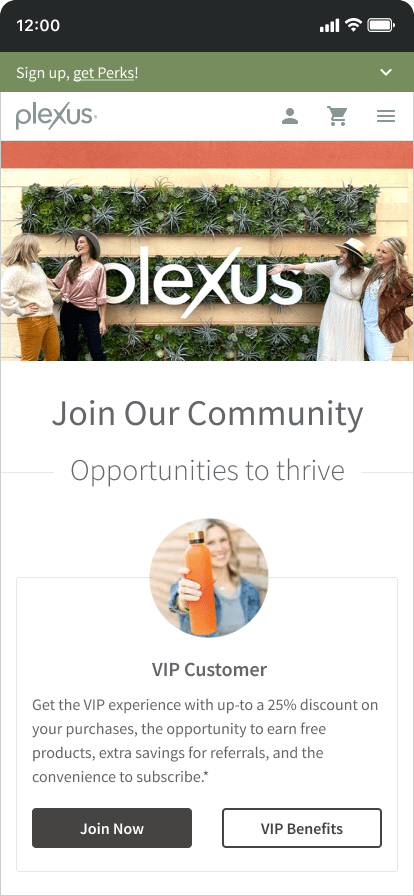
Megan, an active Plexus VIP Customer, has included her unique referral link in her Instagram posts. Amy, who's interested in Plexus, clicks this link and is directed to the Plexus "Join" flow landing page.


Enrollment
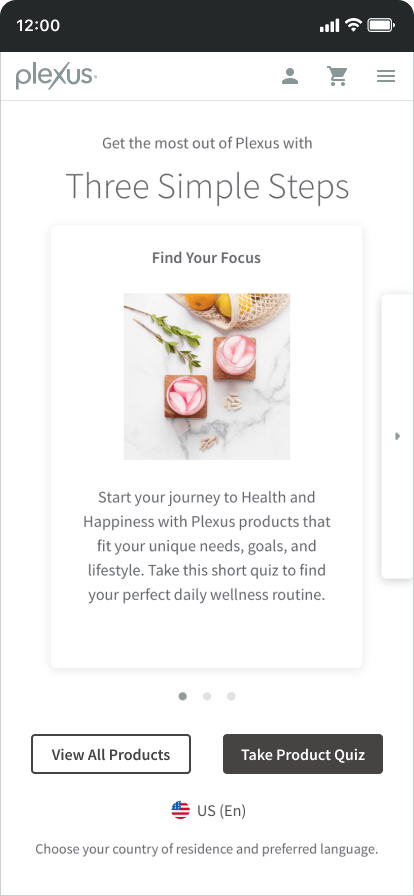
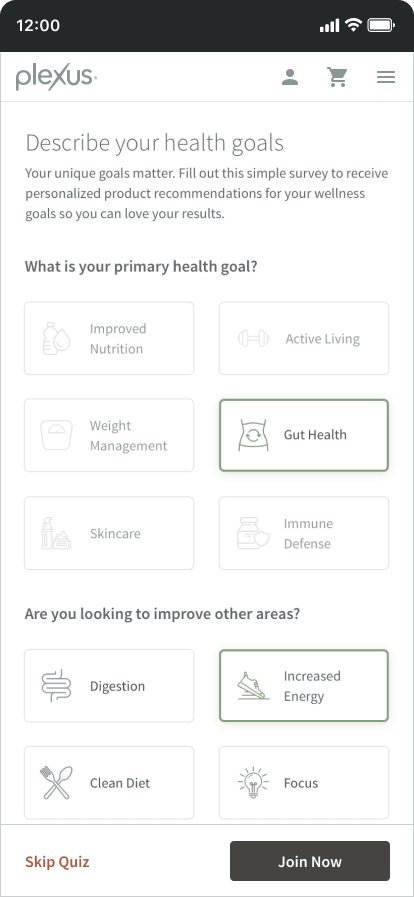
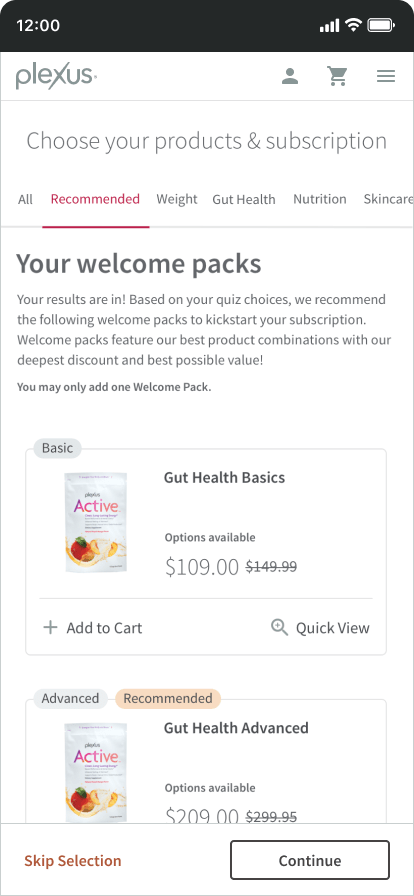
Amy navigates to the enrollment flow, electing to take a short quiz that provides recommended Welcome Packs based on her health goals and nutritional considerations.
Shopping
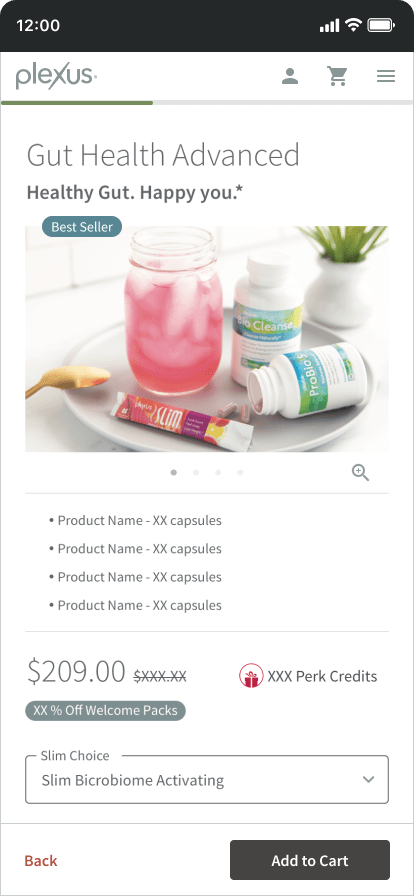
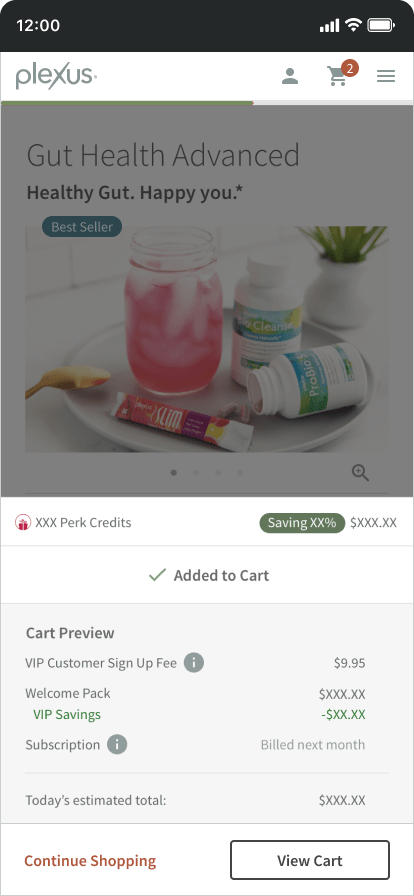
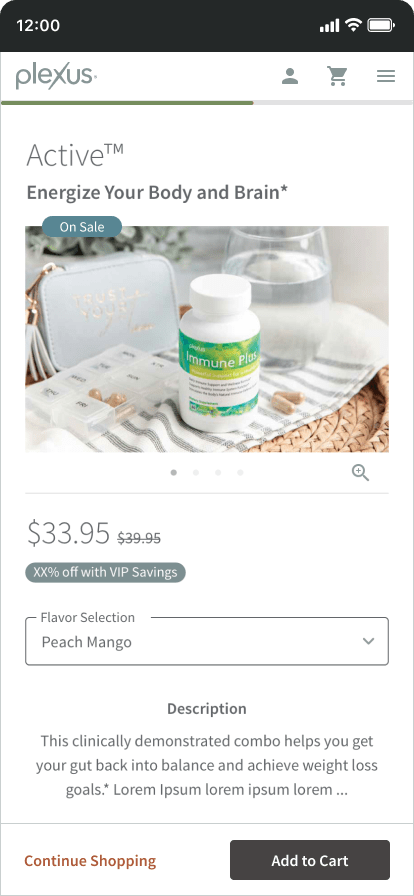
Amy views a recommended Welcome Pack's product detail page (PDP), she adds the product to her cart and continues shopping.
Checkout
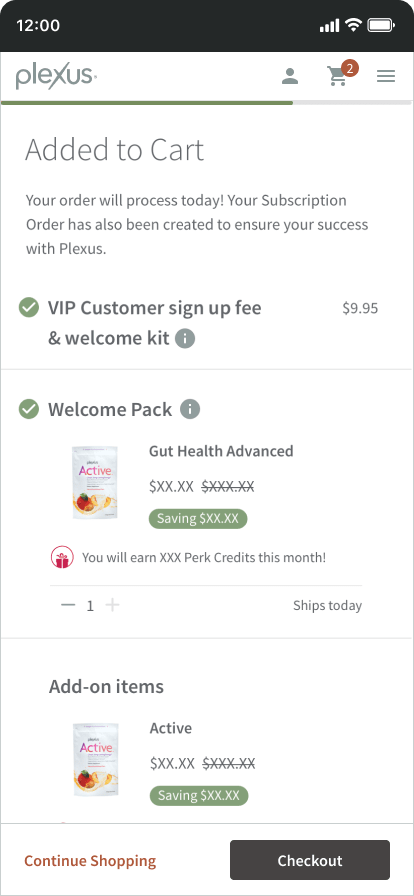
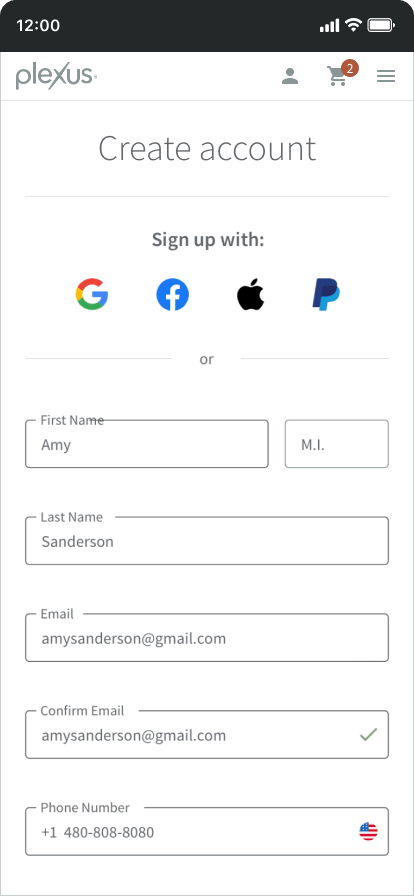
When Amy is finished shopping, she reviews her cart and is directed through the checkout flow, completing her purchase and enrolling her as a VIP Customer.

Upgrading
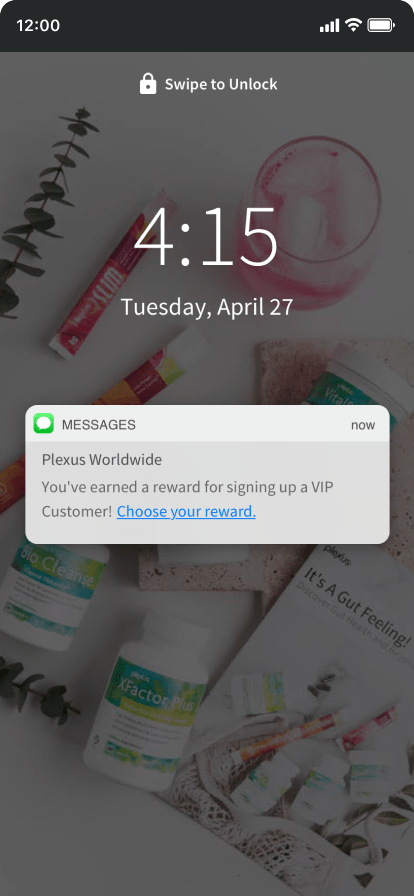
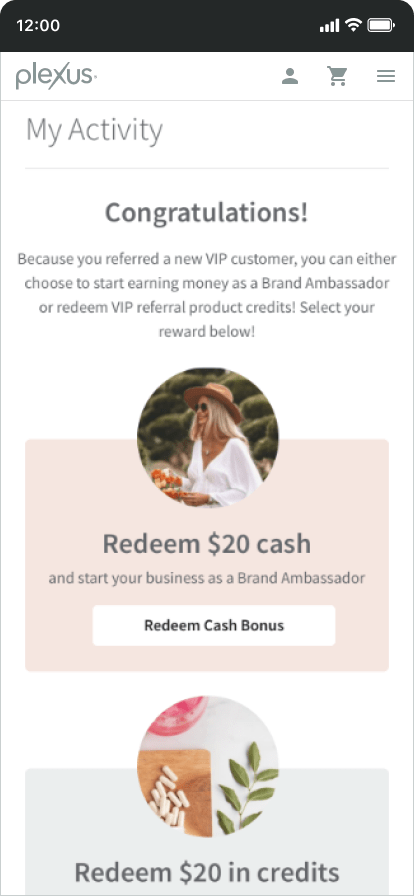
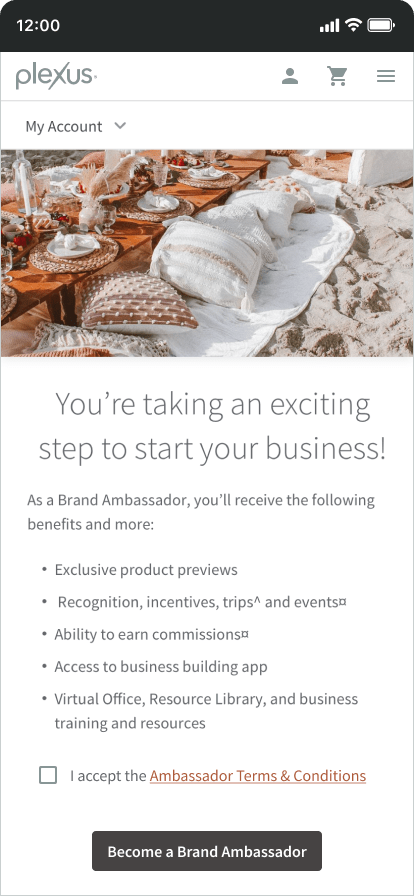
After Amy signs up as a VIP Customer, Megan receives an SMS message with a link to her account upgrade options and redemptions.
UX process
Discovery
The project utilized various Agile methodologies and kicked off with research, analysis, and reporting. Data and requirements were reviewed from various departments including Sales, Finance, and Customer Service.
The team reviewed Google Analytics reports, technical documentation, known issues, user feedback, proposed optimizations, and the product backlog. Customer surveys were collected and various usability tests were performed both in-person and online.
A project plan including high-level requirements, scope, and timeline was presented to the executive and advisory groups.
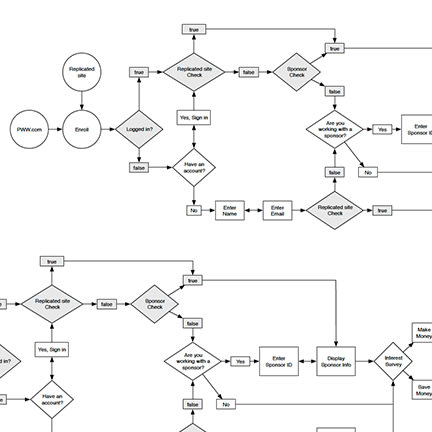
Interaction and requirements diagram
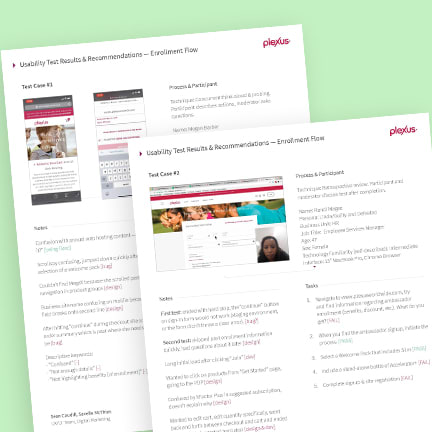
Usability testing reports
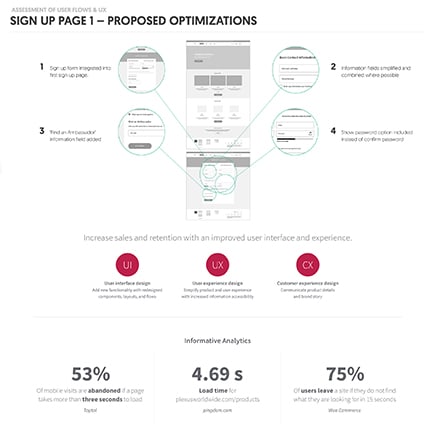
Analytics and proposed optimizations
Design
With project approval and alignment obtained, the team focused on creating low and mid-fidelity artifacts including whiteboard flows, wireframes and mockups.
A click-through InVision prototype was built and presented to user focus groups, internal stakeholders, and executive leadership for review and feedback.
After a few rounds of iteration and review, high-fidelity visual designs, content, and translation were prepared.
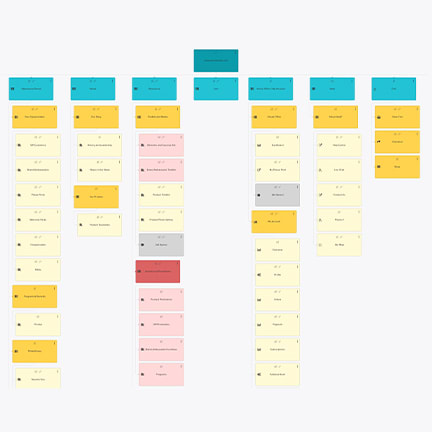
Information architecture
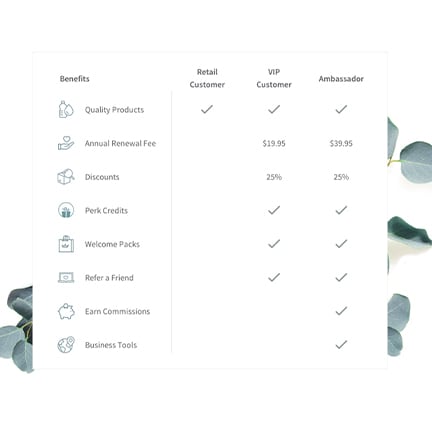
Simplifying the customer types
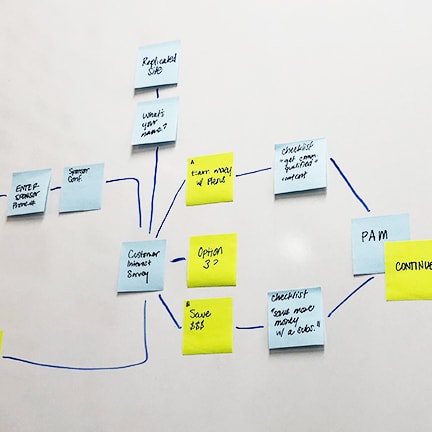
Whiteboard flow brainstorm
Prototype
Development was split into two phases to focus on the back-end and then front-end deliverables of the project. Scrum ceremonies, showcases, reviews, focus groups, and technical meetings were performed to ensure a user-centered approach to the process.
A prototype was developed, user tested, iterated upon, and reviewed by quality assurance in preparation for final approval and launch.
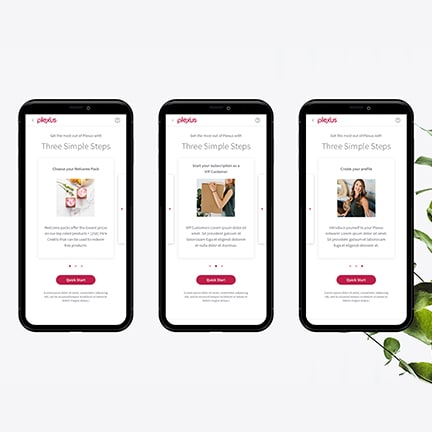
Refined screen designs
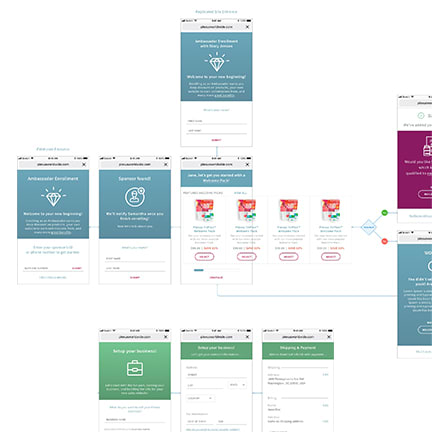
Screen and flow wireframes
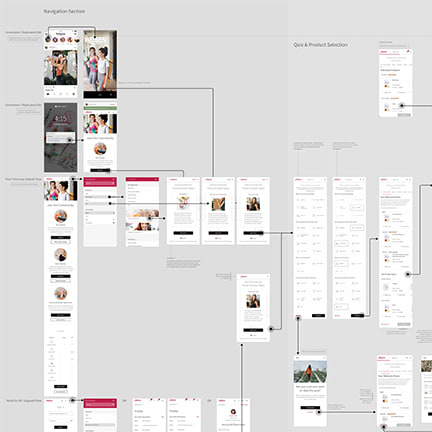
Final flow diagram
Analyze
After launch, the team monitored web analytics, sales data, user feedback, and communications to identify areas of improvement for our domestic and international users.
Iterate
Post launch, the team re-evaluated previous assumptions, outcomes, feedback themes, user data, and KPIs to identify and implement iterative enhancements.